

Top Up Payout Account
FOREN allows you to add funds to your payout balance.
-
- Access the Dashboard
Once you have successfully logged into your FOREN account, the main dashboard will be displayed.
- Access the Dashboard
-
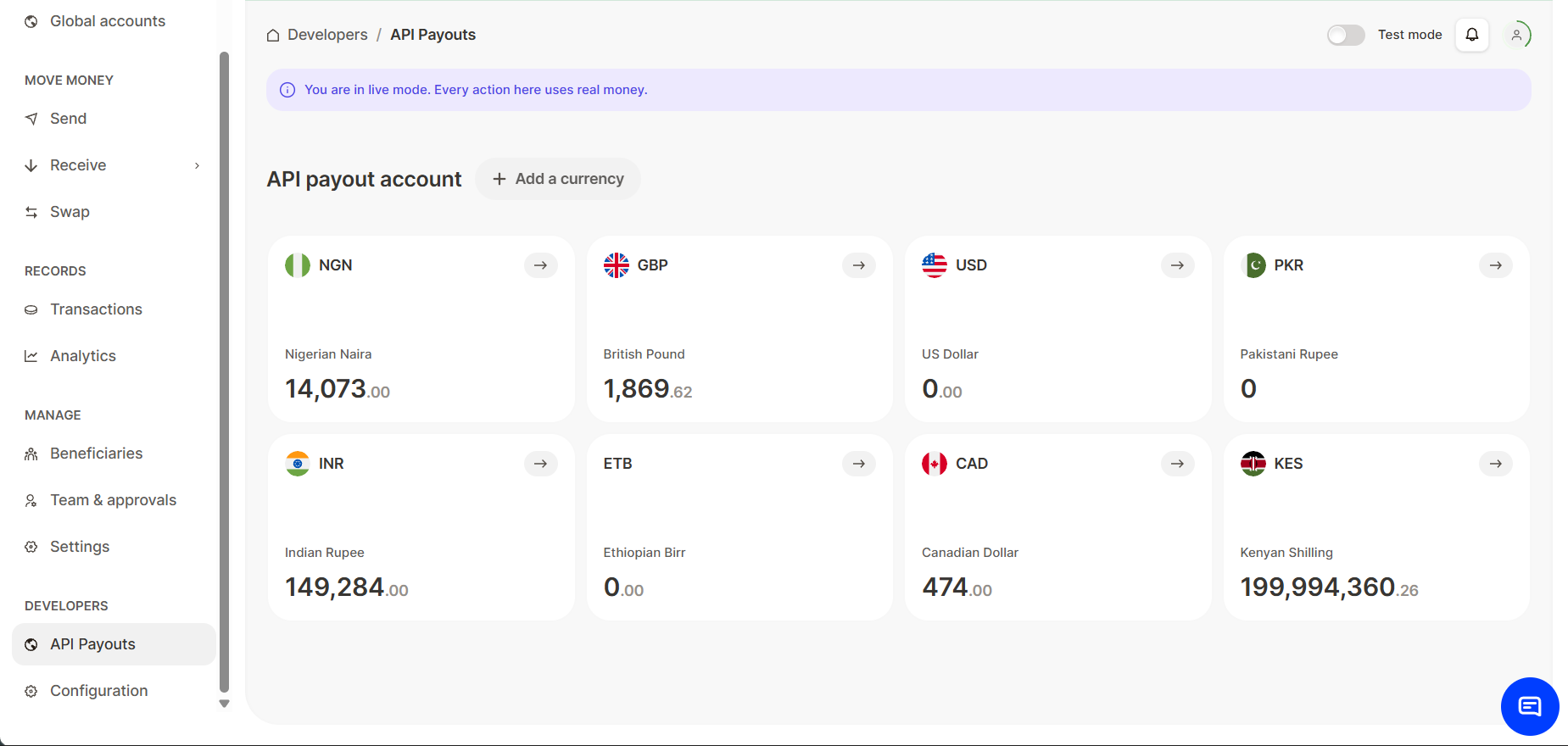
Navigate to API Payouts
On the left navigation bar, scroll to the bottom and click API Payouts under the Developers section.
-
Initiate Top-Up
Click the Top up button located in the top-right corner of the page to open the top up feature.
- Use details
A pop up showing the bank details associated with the account will be displayed. After making a transfer, click the I have made this transfer button. Your balance will be updated.
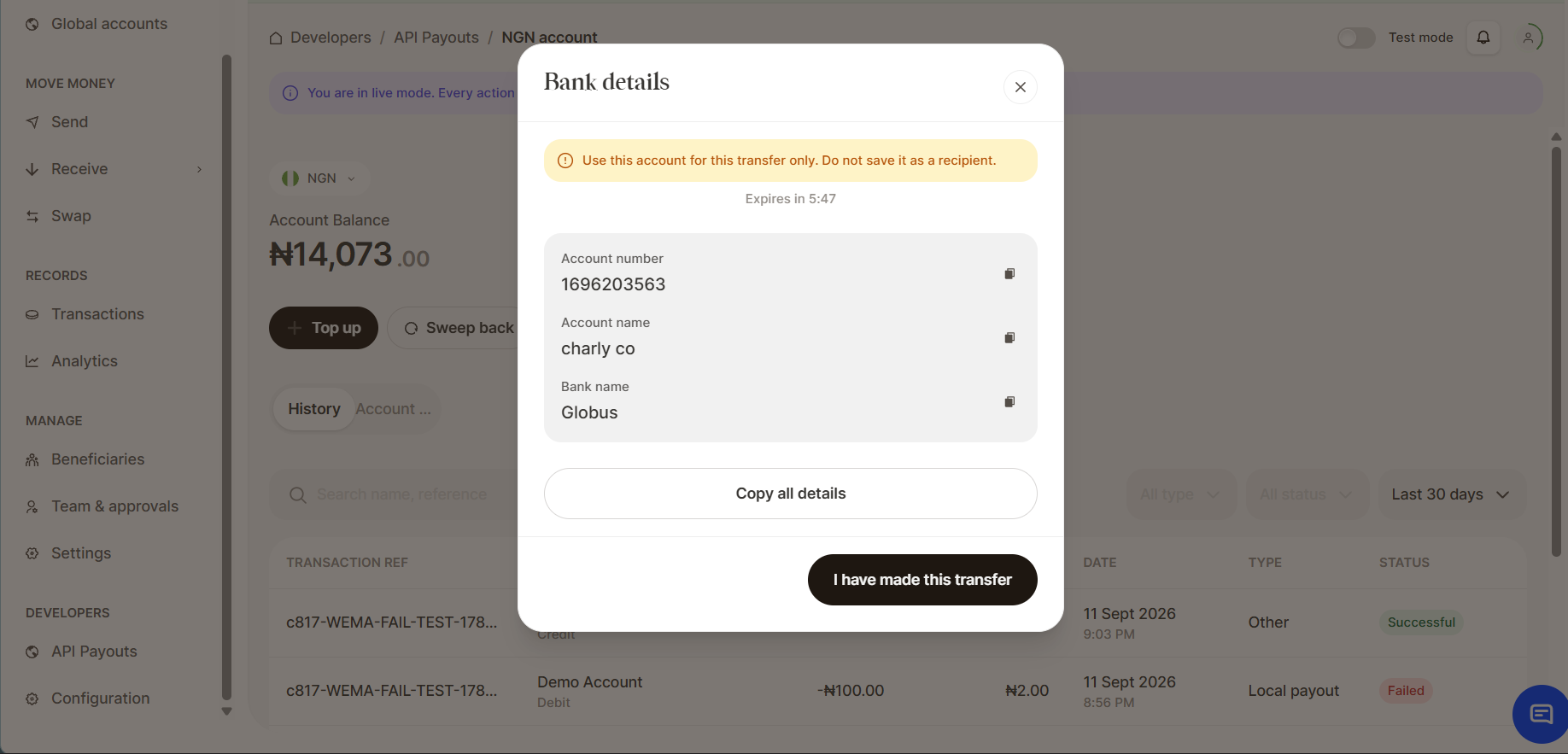
Copy Details for Use
To ensure accuracy when sharing your information, click the Copy Icon next to the specific details you need. The system will automatically save the information to your clipboard for easy pasting.
Updated 15 days ago
Did this page help you?